
Overview:
- Use the Wiise Favourite Dashboard widget for NDIS on your Wiise landing page
Why Use the Dashboards for NDIS Widget?
Having your NDIS dashboards on your Wiise landing page means you can check claims, payments, and participant budgets without navigating through separate reports or pages. You decide which dashboards appear, so the ones you use most are always one click away.
Note: If you're on a standard Dynamics 365 Business Central role centre without a Wiise role assigned, the NDIS dashboards widget won't appear.
How to Use the Dashboards for NDIS Widgets?
The Wiise Favourite Dashboards widget appears on your Wiise landing page when the Wiise for NDIS extension is installed. From the widget, you can set up and view these Power BI dashboards directly in Wiise:
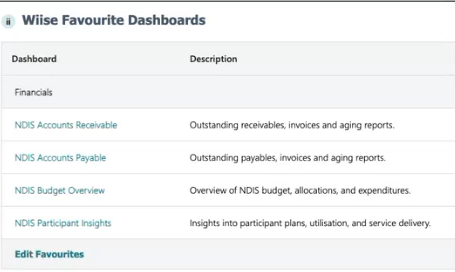
Note: If both Wiise and Wiise for NDIS are installed, only the NDIS dashboards widget appears. The regular Wiise dashboards widget is hidden to avoid duplication.
- On your Wiise landing page, find the Wiise Favourite Dashboards widget for NDIS.
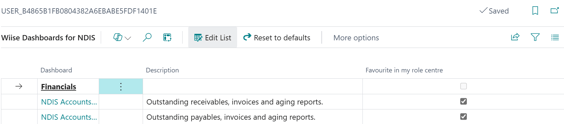
- Select Edit Favourites at the bottom of the widget to favourite which dashboards would appear on your Wiise landing page.
- Note: If you already had the widget before the NDIS Budget Overview and NDIS Participant Insights dashboards were added, they won't appear automatically. Reset your favourites to defaults or refresh the widget to load them.
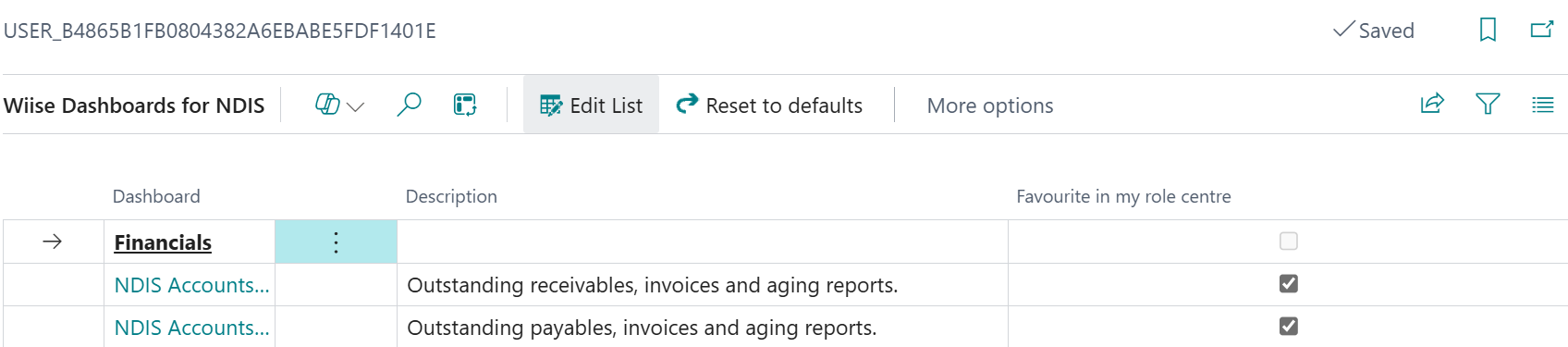
- The selection you make in the Favourite in my role centre section determines which Wiise Dashboard for NDIS is displayed on your Wiise landing page.
- You now know how to use the NDIS dashboards widget.
What's next
Find out how to Set up and view Power BI NDIS dashboards.
Need more help?
No problem, that's what we're here for. Reach out to support@wiise.com anytime you can't find what you're looking for.