
Overview:
-
View financial information related to NDIS transactions in one place
-
Monitor submitted NDIS invoices and their payment status
-
Track payments received from NDIS
-
Identify outstanding invoices that are waiting for payment
Why Use NDIS Financial Dashboards?
The NDIS Financial Dashboards gives you a central view of submitted NDIS invoices, payments received, and outstanding amounts. You can quickly check the status of NDIS claims and track payments as updates come through from the NDIS.
Note: This article covers Accounts Payable and Accounts Receivable.
To track participant plan budgets, utilisation, and expiry, use the NDIS Budget Overview and NDIS Participant Insights dashboards instead.
For more information, see What's next at the bottom of the page.
Before You Begin
- Ensure you’ve set up and connected the Power BI NDIS Dashboards to Wiise.
Note: The NDIS Financial Dashboard relies on an active NDIS connection and automated job queues to retrieve payment updates. If either is not running correctly, the dashboard may not display the latest payment information.
Note: You can select to view customers who are NDIS , non NDIS or both.
NDIS customers are tagged with the NDIS customer type on the customer card in Wiise, set as either NDIS Participant or NDIS Plan Manager.
How to Use NDIS Financial Dashboards?
-
Select Wiise for NDIS from the navigation menu on your Wiise landing page.
-
From the drop-down menu, select Dashboards.

-
Select either the Accounts Payable or Accounts Receivables Power BI dashboards to view in Wiise.

1. NDIS Accounts Payable
-
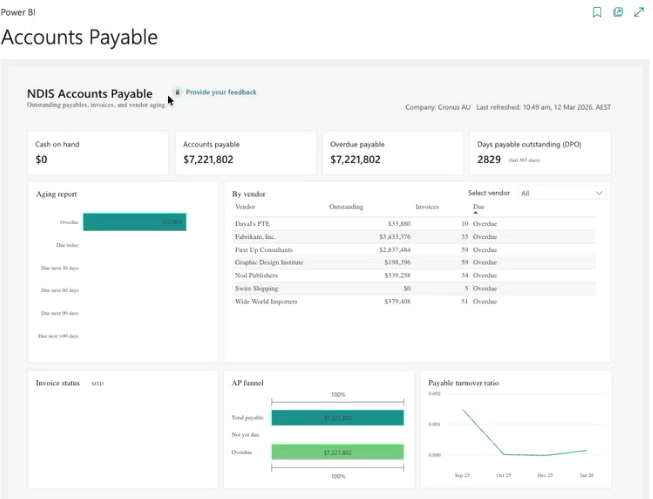
Select the Accounts Payable menu. The Accounts Payable Power BI reports display.
-
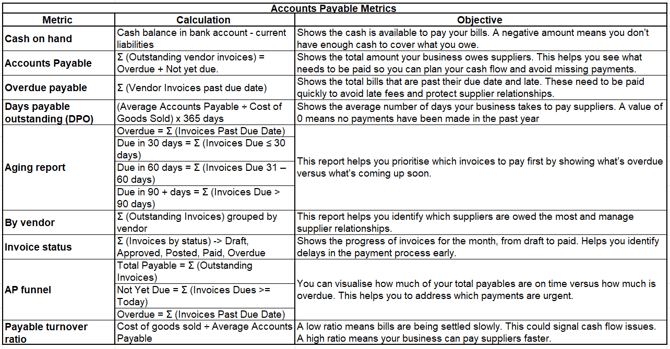
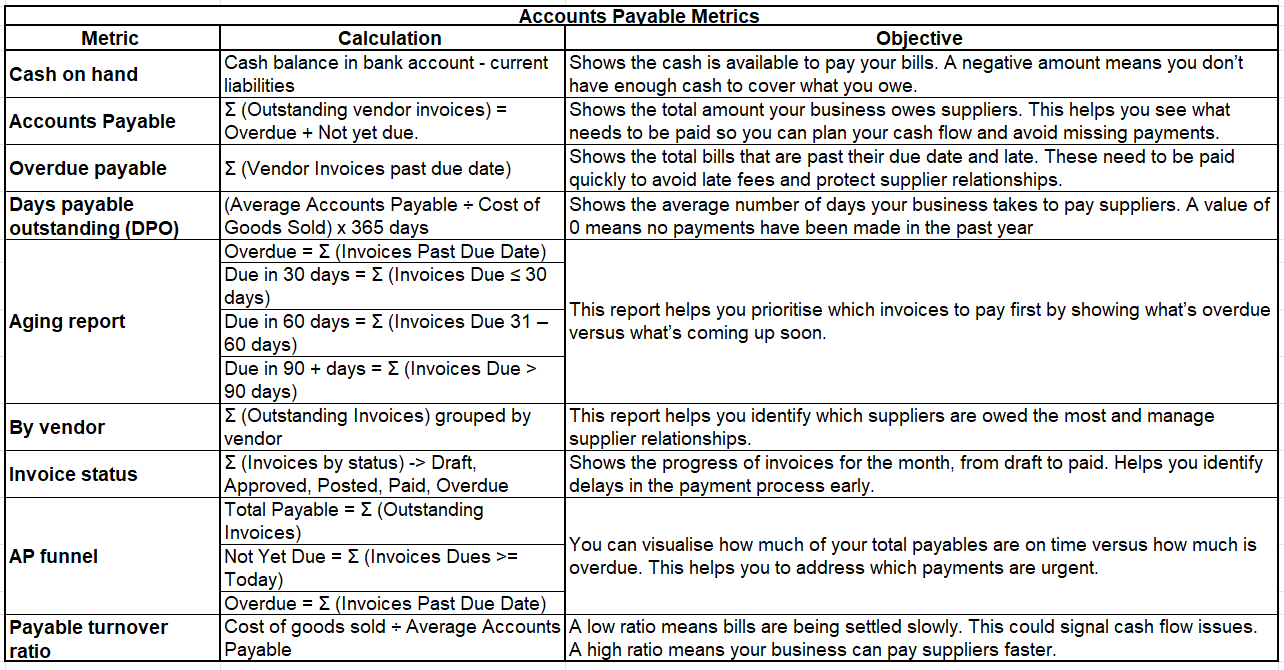
Here’s how to read and understand the tiles on the Accounts Payable report metrics:
-
You now know how to use the Accounts Payable report in Power BI.
2. NDIS Accounts Receivable
-
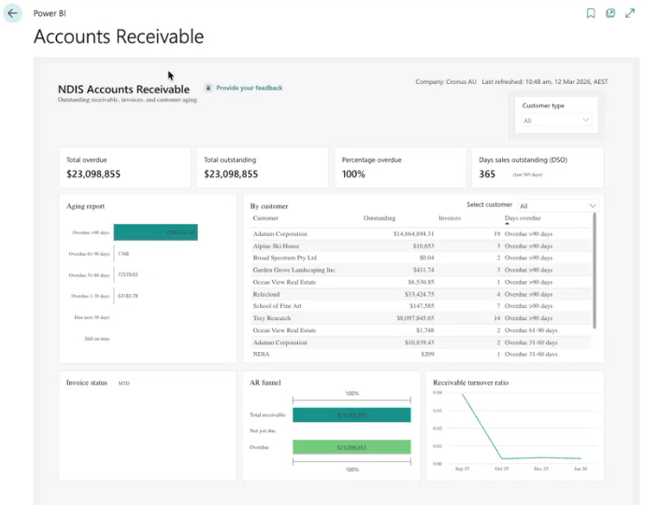
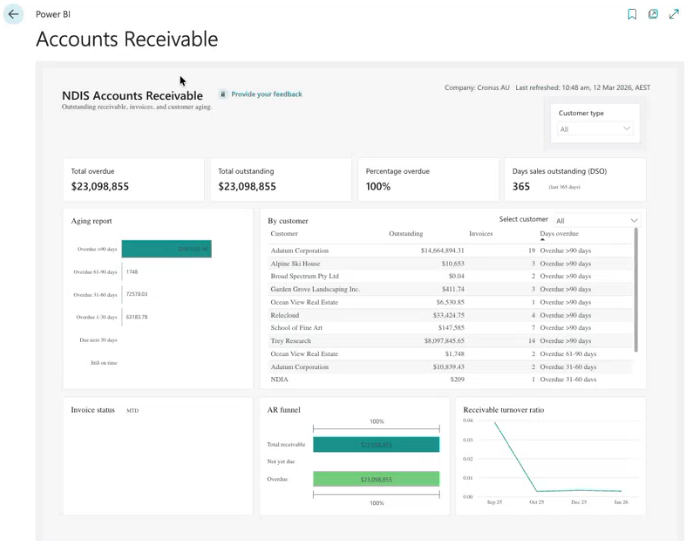
Select the Accounts Receivable menu. The Accounts Receivable Power BI reports display.
-
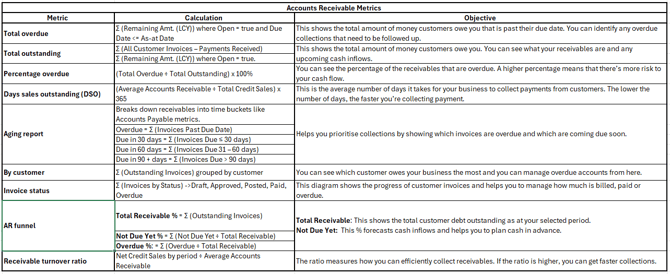
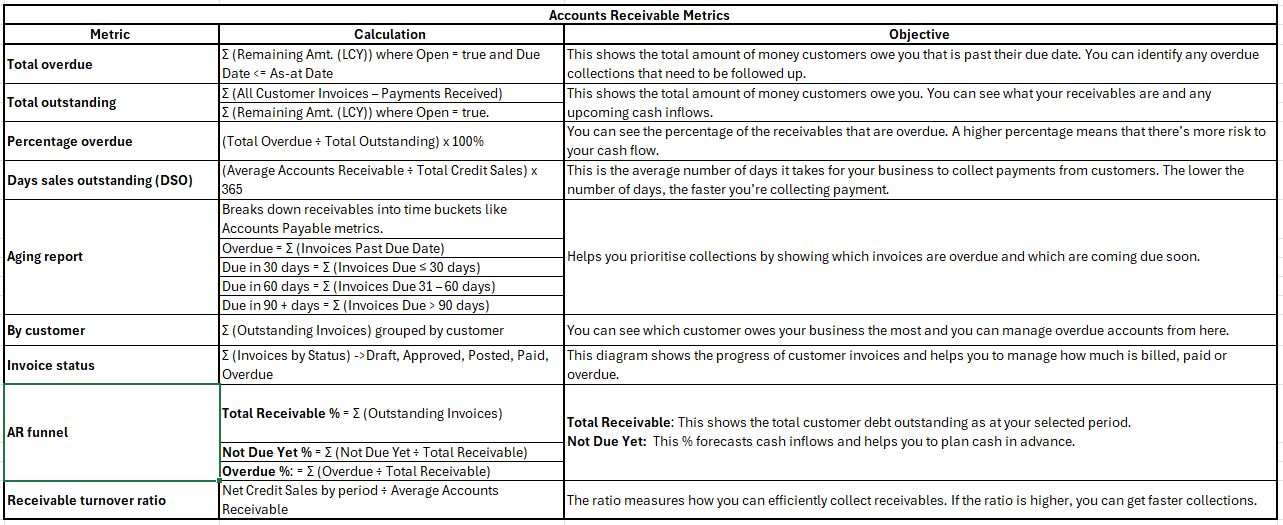
Here’s how to read and understand the tiles on the Accounts Receivable report metrics:
- You now know how to use the Accounts Receivable report in Power BI.
What’s next?
Now that you can track NDIS invoices and payments, you might want to:
- Use the NDIS Budget dashboard to see every participant's plan budget, utilisation, and expiring funds across your portfolio.
- Use the Participant Insights dashboard to check a single participant's budget and utilisation.
- Provide your feedback on the NDIS dashboards.
Need more help?
No problem, that's what we're here for. Reach out to support@wiise.com anytime you can't find what you're looking for.