
Overview:
- Use the NDIS Budget Overivew dashboard to see every participant's budget in one place.
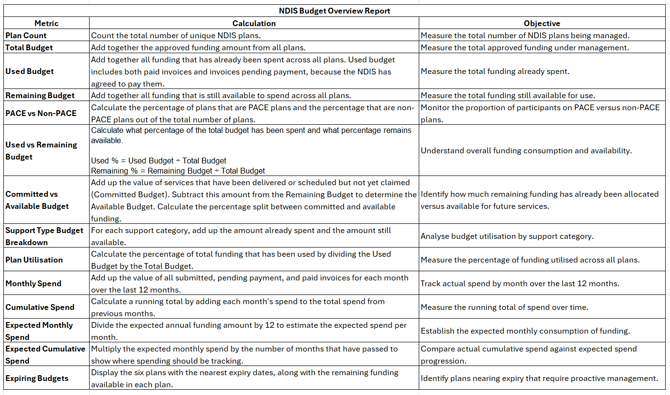
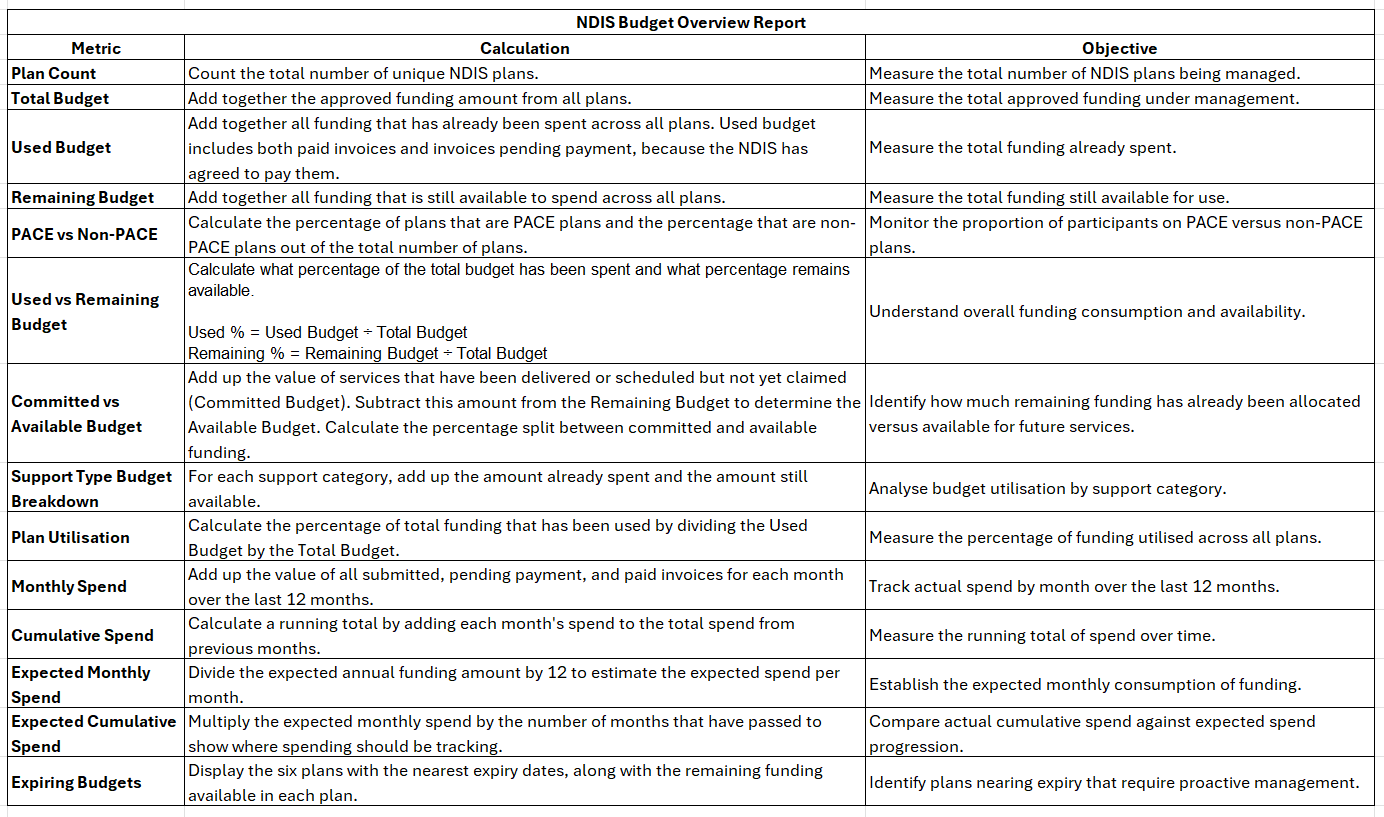
- Understand how used, committed, available, and remaining budget are calculated.
- Track spend trends, plan utilisation, and expiring budgets across your portfolio.
Why Use the NDIS Budget Overview Dashboard?
The NDIS Budget Overview dashboard gives you a live view of every participant's plan budget, spending, and remaining funds, without exporting figures from a separate plan management platform. Because Wiise connects directly to the NDIS, the figures stay current, so you can monitor overspend or under-utilisation before a plan expires.
Before you begin
- Ensure you’ve set up and connected the Power BI NDIS Dashboards to Wiise.
- Understand how to use the Dashboards for NDIS Widget
Note: If you've already set up and connected the Power BI NDIS Dashboards previously to access the NDIS Accounts Payable and NDIS Accounts Receivables reports, you don't need to reinstall it again. You'll need to select Edit Favourites on the Wiise Favourite Dashboards widget. Then, reset to defaults or refresh to load the new dashboard.
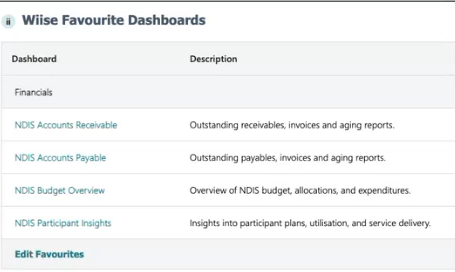
How to Use the NDIS Budget Overview Dashboard?
-
Select NDIS Budget Overview dashboard from the Financials Dashboard section on your Wiise Favourites Dashboard widget.
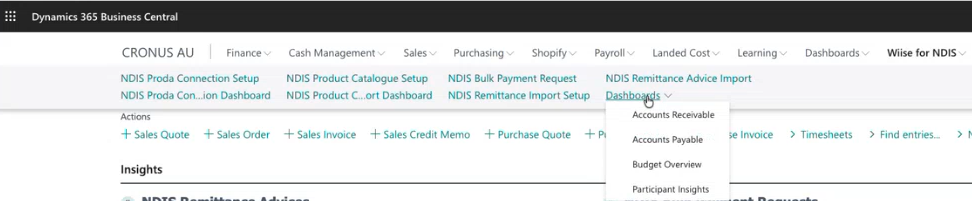
Note: You can also select Wiise for NDIS. Then, select the Dashboards list. From the drop-down list, select Budget Overview.
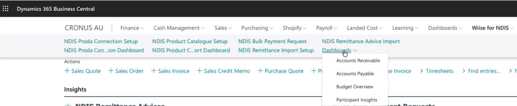
- The Budget Overview Power BI report displays.
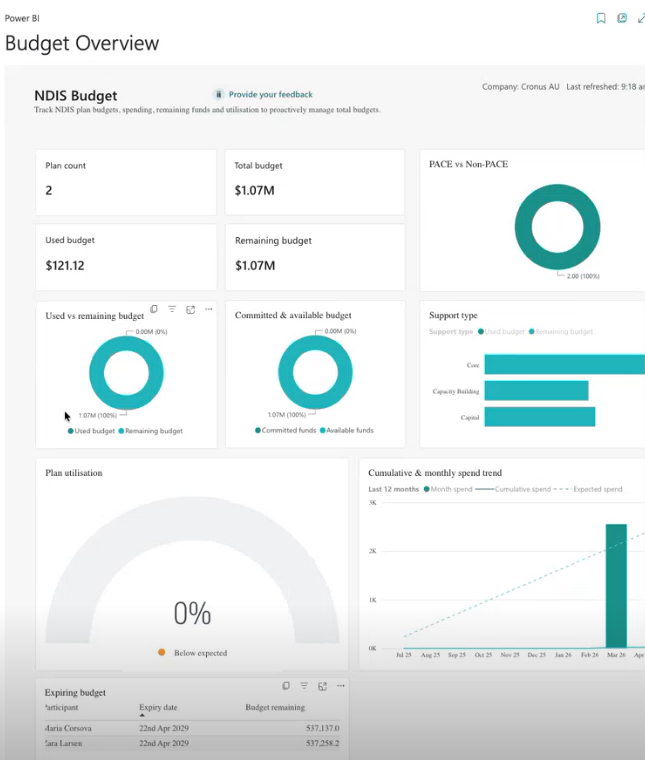
- Here’s how to read and understand the tiles on the NDIS Budget report metrics:
- You now know how to use the NDIS Budget dashboard to track participant budgets across your portfolio.
What's next?
Find out how to use the Participant Insights dashboard to check a single participant's position.
Need more help?
No problem, that's what we're here for. Reach out to support@wiise.com anytime you can't find what you're looking for.