
Overview
- Set up Power BI NDIS Dashboards in Wiise
-
View Power BI NDIS Dashboards in Wiise
Why Use Power BI NDIS Dashboards in Wiise?
Power BI dashboards allow you to view NDIS financial insights directly from Wiise. By accessing dashboards from the Wiise landing page, users can quickly review key NDIS data without switching between systems, helping your business to make faster and more informed decisions.
Before you Begin:
- Ensure NDIS Dashboards are installed in Power BI.
- You have the appropriate NDIS Permission to set up the NDIS Dashboards.
How to Set Up Power BI NDIS Dashboards in Wiise?
- Select Wiise for NDIS on your Wiise landing page.
- From the drop-down menu, select Dashboards. Then, select an appropriate report to view.

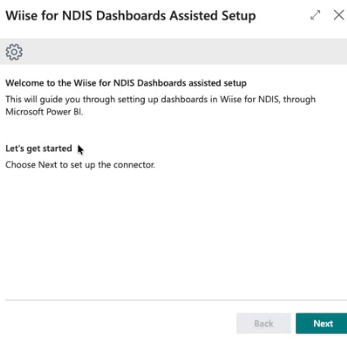
- On your first time setting this up in Wiise, the Wiise for NDIS Dashboards Assisted Setup page displays.
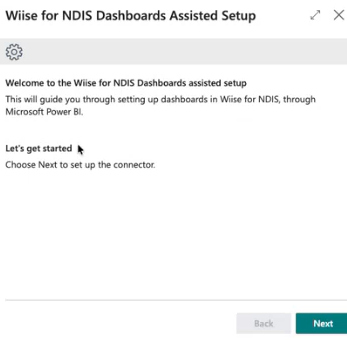
Note: Alternatively, you can search for Assisted Setup on the top right-hand corner of the page. Select the relevant link and the list displays. Select Connect to Wiise Dashboards for NDIS.
- Select Next to proceed.
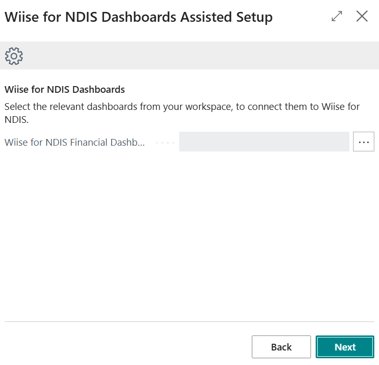
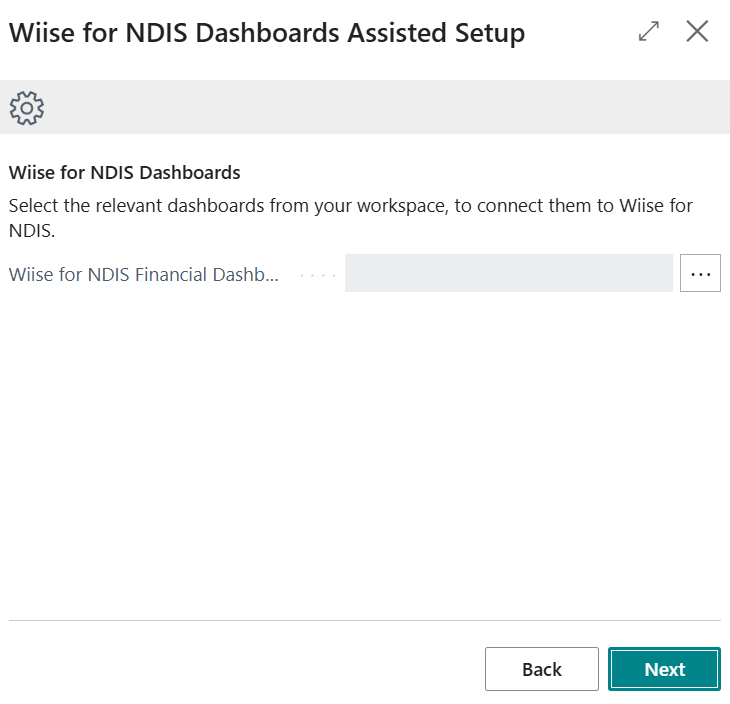
- Select the horizontal three dots on the right size of the relevant fields, where a Wiise Dashboard is not linked.
Note: You may need to review the links to make sure that the correct Wiise Dashboards are linked.
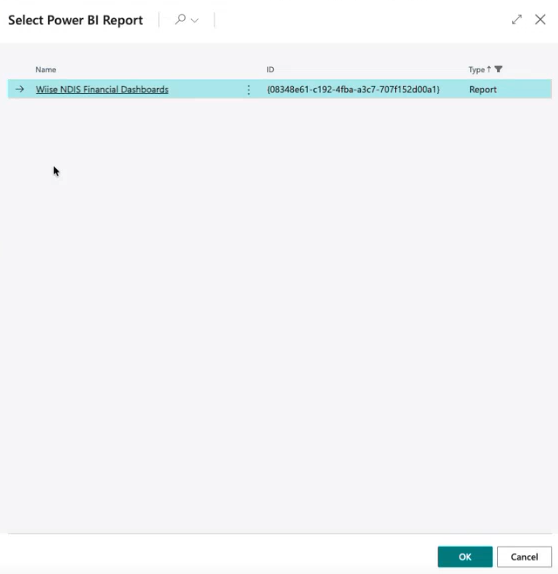
Note: The Select Power BI Workspace contains all the Power BI Dashboards that you've connected to your Power BI app. - The Select Power BI Report page displays. Select an appropriate report, then, select OK.
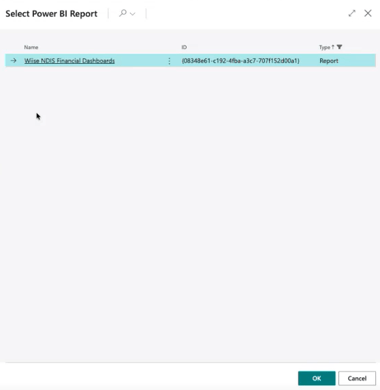
- Select Next to continue.
- The final page displays. Confirm the Connection details and select Finish.
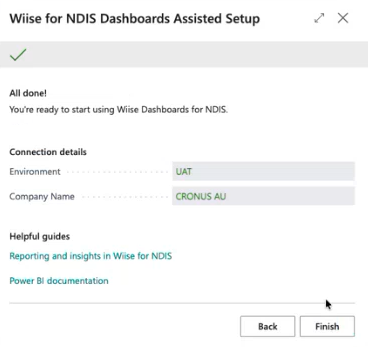


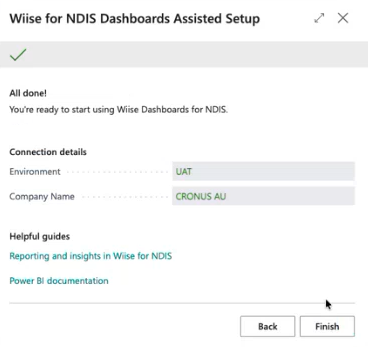
Note: You can now access your Wiise for NDIS Dashboards directly in Wiise.
How to View Power BI NDIS Dashboards in Wiise?
-
Log in to Wiise.
-
Select Wiise for NDIS on your Wiise landing page.
-
From the drop-down menu, select Dashboards.
- From the drop-down menu, select the relevant report to view.
Note: Create or update your Power BI report in Power BI Desktop, then view it in Wiise. Administrators or report creators can build and share reports, and users can view the shared reports in Wiise. -
You now know how to access and use Power BI NDIS Dashboards in Wiise.
What's next?
Find out how you can further Personalise Wiise for you.
Need more help?
No problem, that's what we're here for. Reach out to support@wiise.com anytime you can't find what you're looking for.