
Overview:
- Manage multi-entity payruns for Project Costing
- Review and post project journals
Why manage multi-entity pay runs?
Manage payroll for multiple entities in one place. This saves time while keeping each entity’s employees, approvals, payments and reports separate.
How to manage multi-entity pay runs for Project Costing?
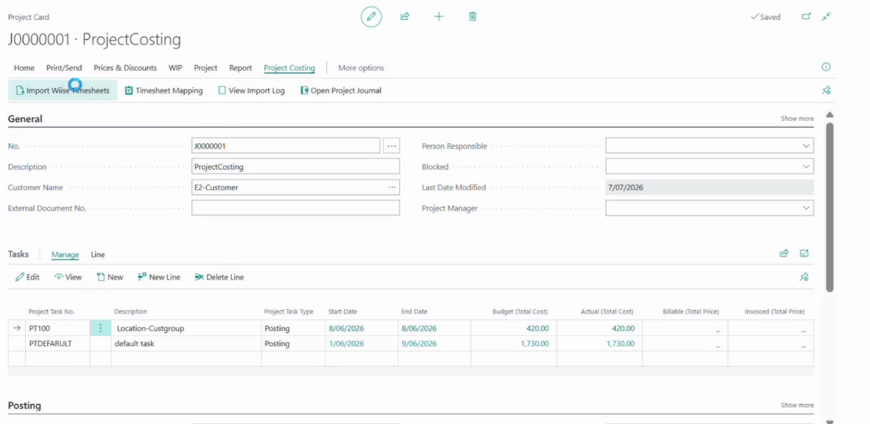
When Project Costing is enabled on your Payroll Setup you'll need to confirm timesheet lines from each entity is mapped to the correct resource, or to the default resource if unmapped.
- Select Import Wiise Timesheets from a Project Card and confirm the costs are assigned correctly to resources or projects based on your set up.
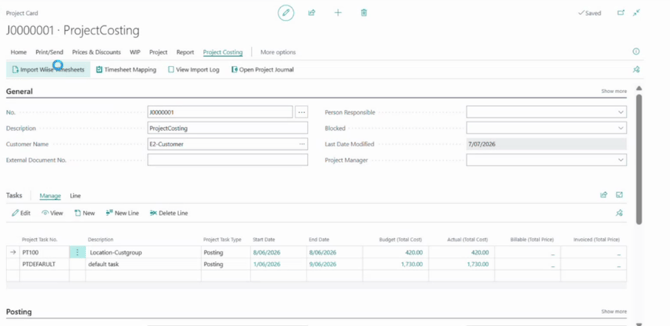
- The Wiise timesheets are imported into Wiise Payroll.
- Process your payruns in Wiise Payroll.
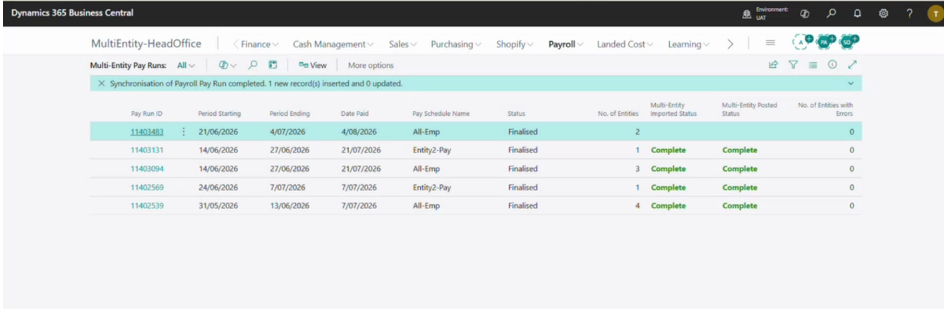
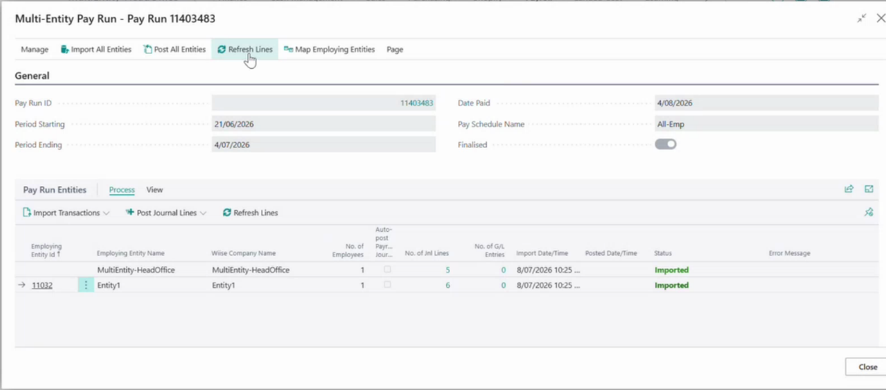
Note: Finalised payruns appear on the Multi Entity Pay Run page. - On the Host Company, go to Payroll. Then select Multi Entity Pay Run.
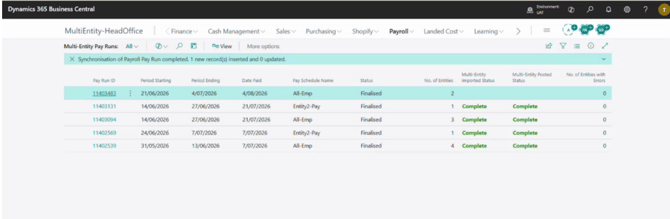
- Select a Pay Run ID to check pay run details for each entity and employee. Use Import All Entities to process payroll for the whole organisation.
- Note: Only the Host Compnay can access this menu. Entity level users wont see it.
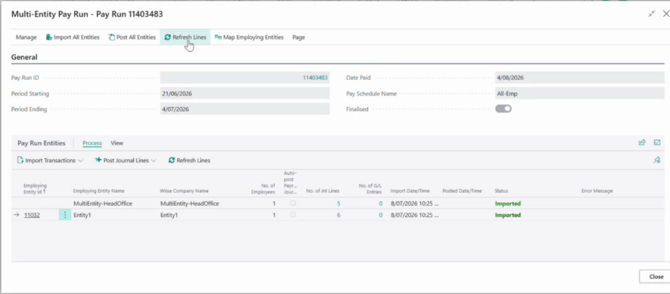
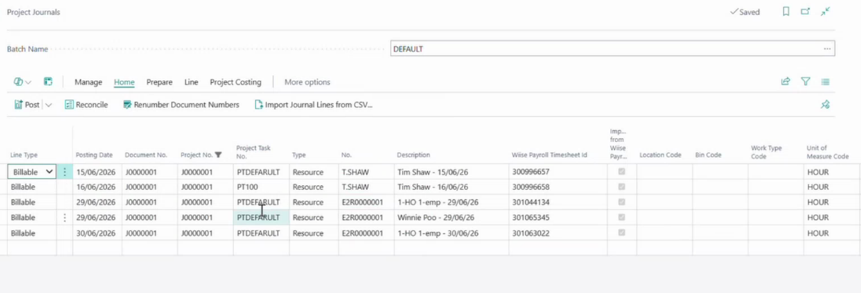
Note: When this is processed, the individual mapped entity levels payroll transactions are updated in your Project Journals.
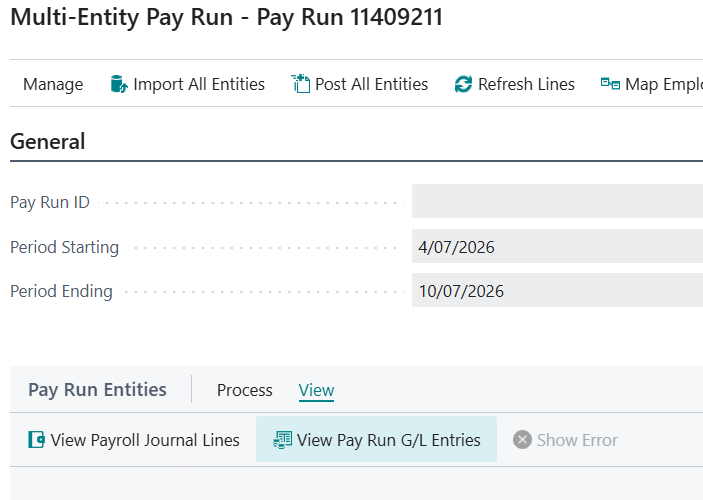
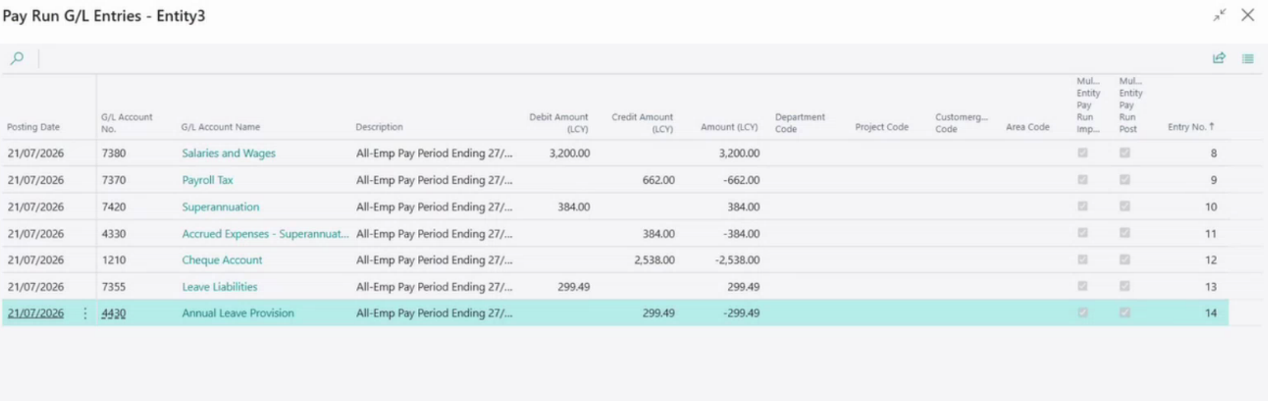
Note: When you make amendments on your finalised pay runs, and finalise them again, you'll need to select Refresh Lines in the Multi-Entity Pay Run page for that pay run. - Select View on the Pay Run Entities section. Then, select View Pay Run G/L Entries.
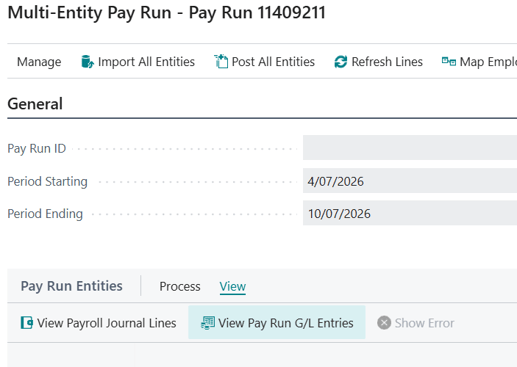
- Review your G/L entries before posting the project journals.
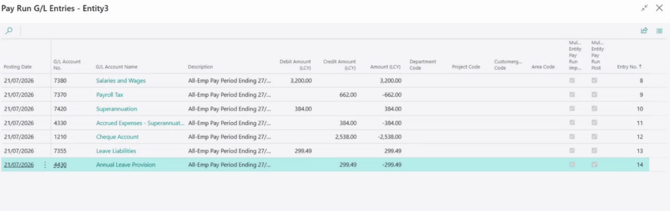
- You'll need to post the journals from the Project Journals page.
Note: The options to navigate to the Project Journals page from Multi Entity Pay Run is unavailable yet. You'll need to search for Project Journals from Wiise. The imported payroll transactions are imported into the Project Journals page. For more information please read about how to post into a project journal from an individual mapped entity.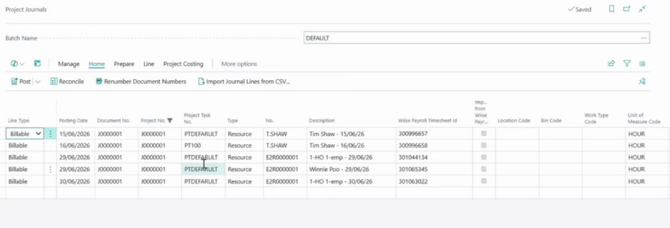
- Post your journals on the Project Journals page.
- You now know how to manage multi-entity payruns for Project Costing.
Need more help?
No problem, that's what we're here for. Reach out to support@wiise.com anytime you can't find what you're looking for.