
We’ve continued to strengthen governance and reduce operational risk in Wiise with new approval workflows designed to protect vendor payments and improve item master data quality. These enhancements help you reduce fraud exposure, prevent costly errors, and improve audit readiness across finance and operations.
Vendor Bank Account Approval Workflow
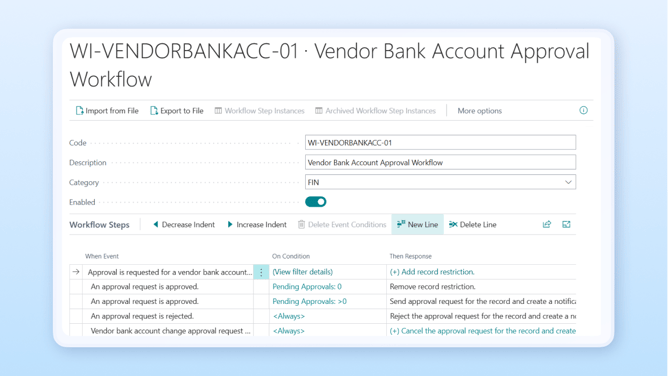
We’ve introduced the Vendor Bank Account Approval Workflow to give finance teams stronger control over changes to vendor bank details. Previously, vendor bank account updates could be saved and used immediately in payment journals, with teams relying on manual checks, emails, or spreadsheets to validate changes.
With this update, vendor bank account changes can now require formal approval before they can be used in payments. When a change is submitted and meets configured conditions, the account is set to Pending Approval and cannot be selected in payment journals until approved.
The workflow supports multiple approval methods (Direct, Chain, Group, or Specific Approver), delegation, notifications, and a complete audit trail of who requested, approved, rejected, or delegated the change.
This enhancement helps reduce payment fraud risk, prevent accidental or incorrect bank detail updates, strengthen segregation of duties, and provide clear evidence for audit and compliance requirements. All while reducing the need for manual verification before payment runs.
Block New Item Approval Workflow
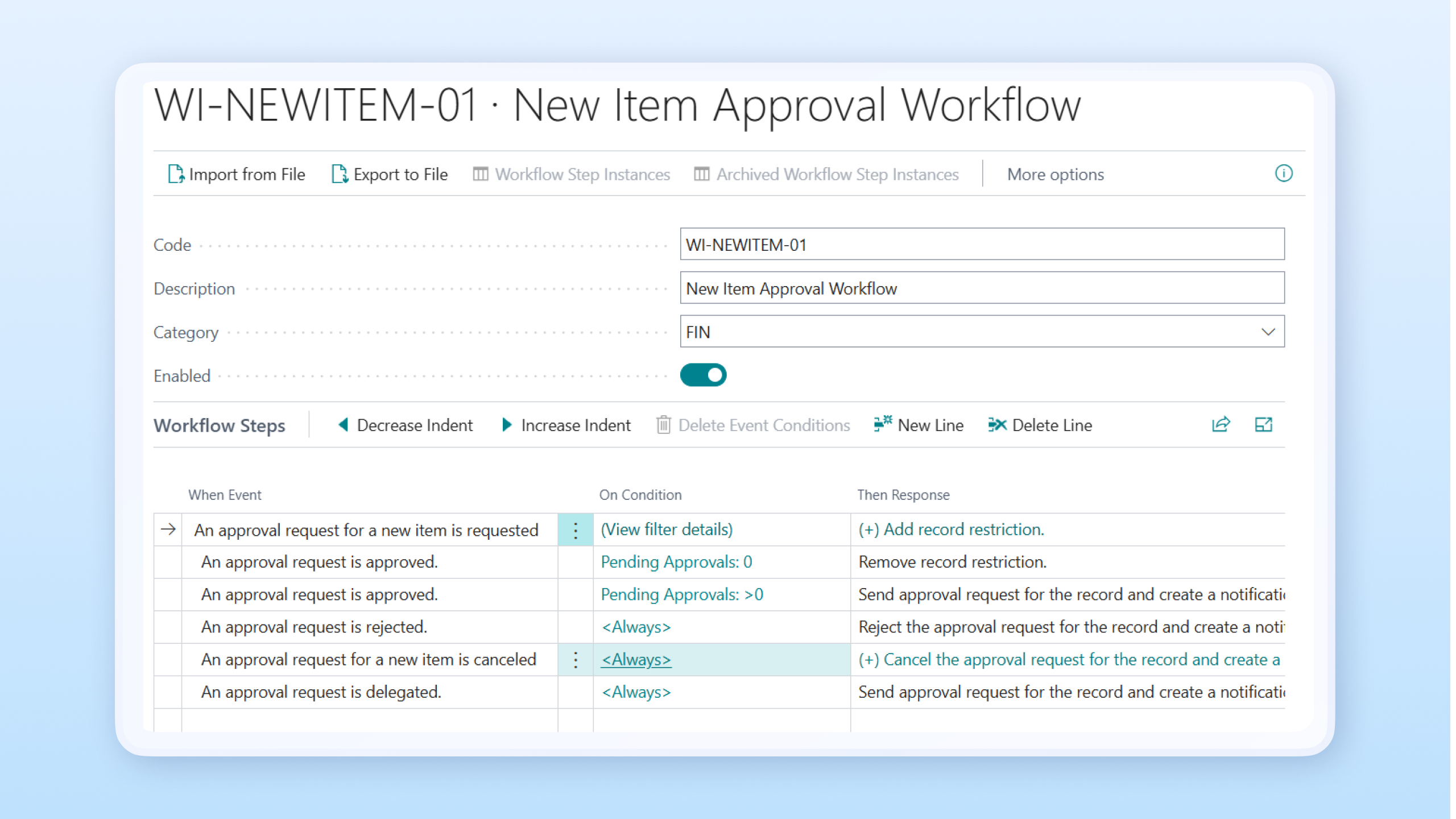
We’ve introduced the Block New Item Approval Workflow to improve item master data governance and prevent incomplete or misconfigured items from flowing into live transactions. Previously, users could create and use new items immediately, even if key fields such as costing methods, posting groups, or categories were incorrect or missing.
With this update, newly created items are automatically set to Blocked. If a user attempts to activate the item and the configured workflow conditions apply, the system triggers an approval request and moves the item to Pending Approval until reviewed.
Until approved, the item cannot be used in sales orders, purchase orders, inventory journals, or planning worksheets. Approvers can approve, reject, or delegate requests, and all actions are tracked in the audit history.
This workflow helps maintain clean and consistent master data, reduces downstream corrections in inventory and the general ledger, protects stock valuation and margin reporting, and strengthens governance without adding unnecessary friction to day-to-day operations.
Knowledge Base articles
-
Wiise Approval Workflow Widget
Use Wiise Approval Workflows Widget -
Get Started with Wiise Insights
Get started with Wiise Insights -
Block New Item Approval Workflow
Set Up Approval Workflows for New Items -
Vendor Bank Account Approval Workflow
Set Up Approval Workflows for Vendor Bank Account