
Overview:
- Find and review rejected payment requests in the Payment Request wizard.
- Correct the relevant fields and resubmit one or more rejected claims.
Why Resubmit a Rejected NDIS Payment Request?
When the NDIA rejects a payment request, the claim stays in Wiise with a status of Rejected and shows the reason for rejection. Many rejections are caused by fixable issues such as an incorrect date range, a missing claim reason, or a missing service booking. Resubmitting with the correct information means you get paid without recreating the payment request.
Before you begin
- The payment request must have a status of Rejected to be eligible for resubmission.
How to Resubmit a Rejected NDIS Payment Request?
To resubmit a rejected payment request, first correct the rejected payment request by creating and processing a credit memo. Once you've made the required corrections, you can process the payment request again.
Follow these steps:
-
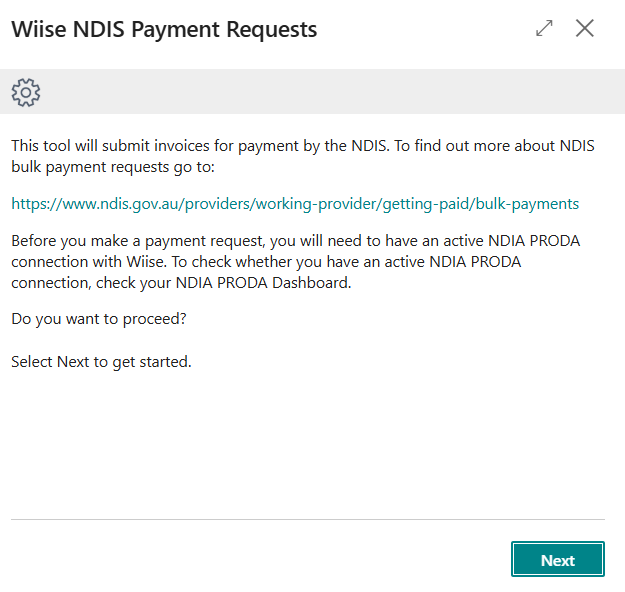
Search for NDIS Payment Requests on the top right hand corner of the page. Select the relevant task and the Wiise NDIS Payment Requests assisted setup wizard displays.
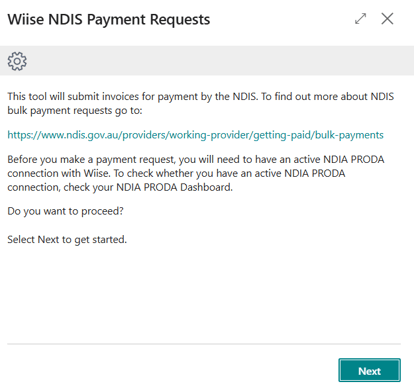
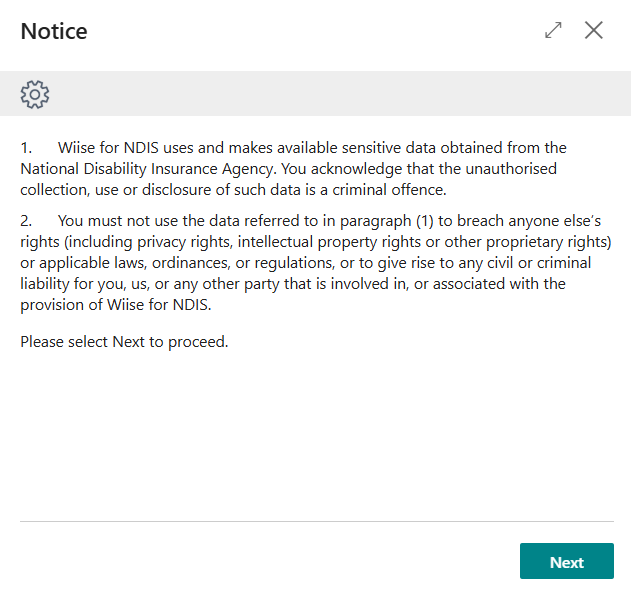
- Review the information and select Next to acknowledge and proceed.
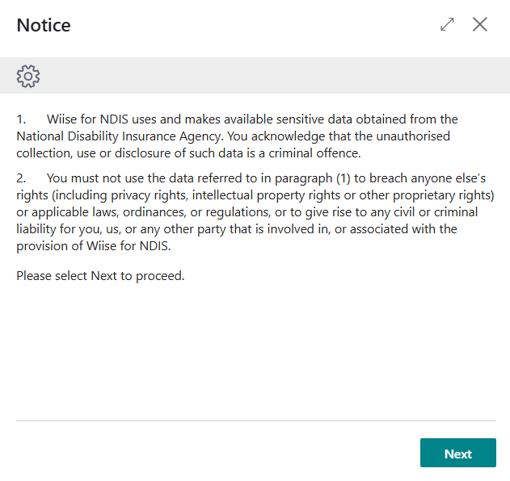
- Read the information and select Next to proceed.
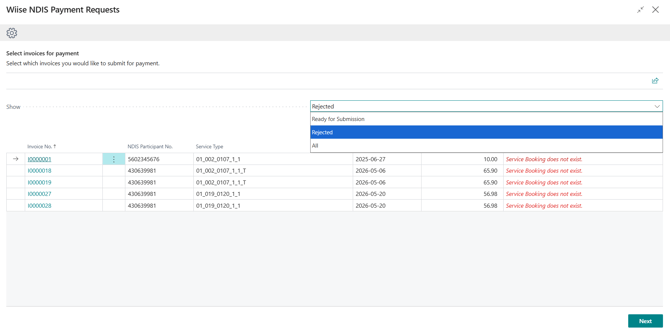
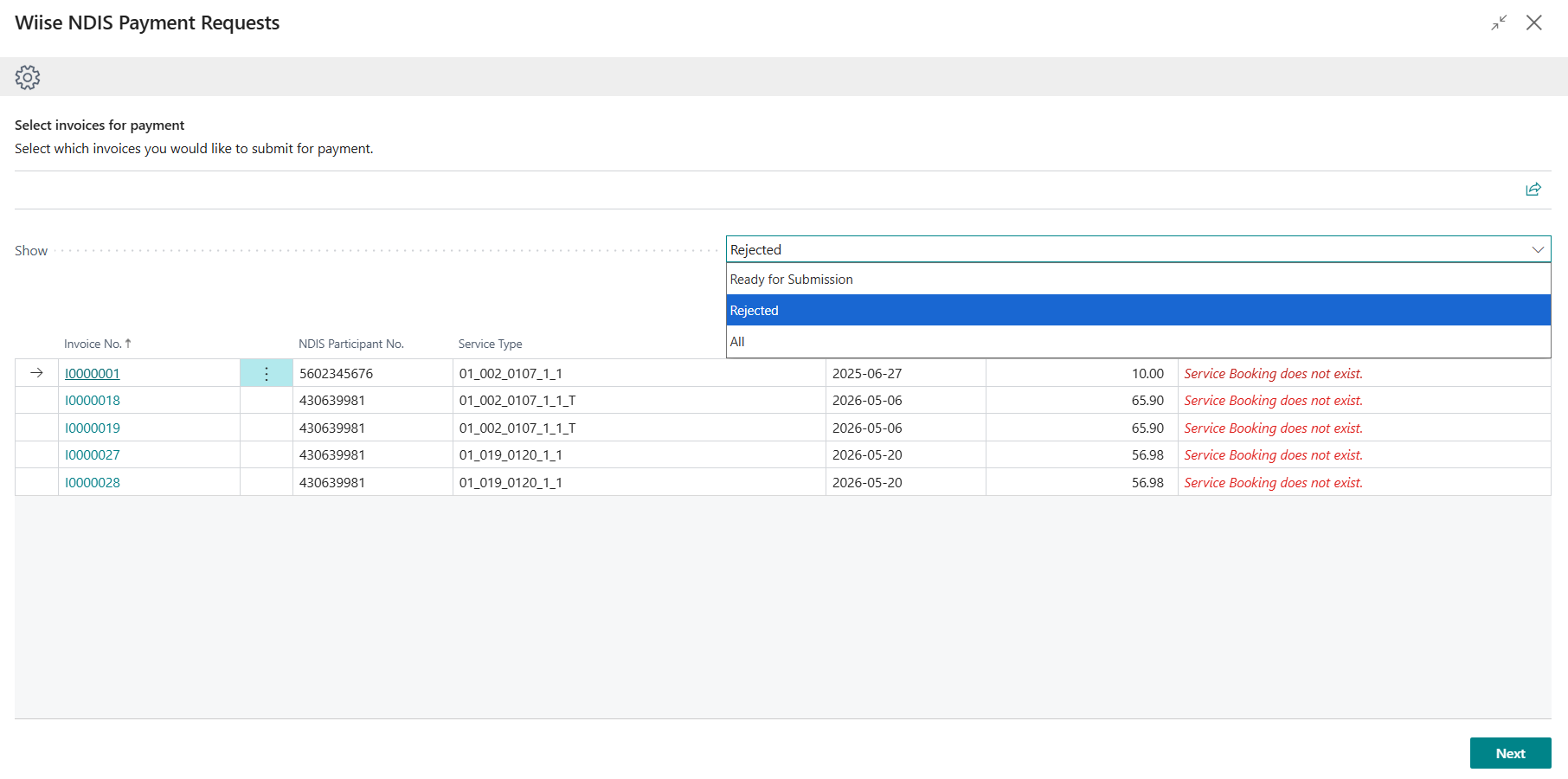
- The Select invoices for payment screen displays.
-
On the Select invoices for payment screen, select the Show dropdown and select Rejected.
-
Note: You can also select All from the Show dropdown to include both Ready for Submission and Rejected lines in a single batch. This is useful when you want to process new claims and resubmit rejected ones at the same time.
- Then, select Next to continue.
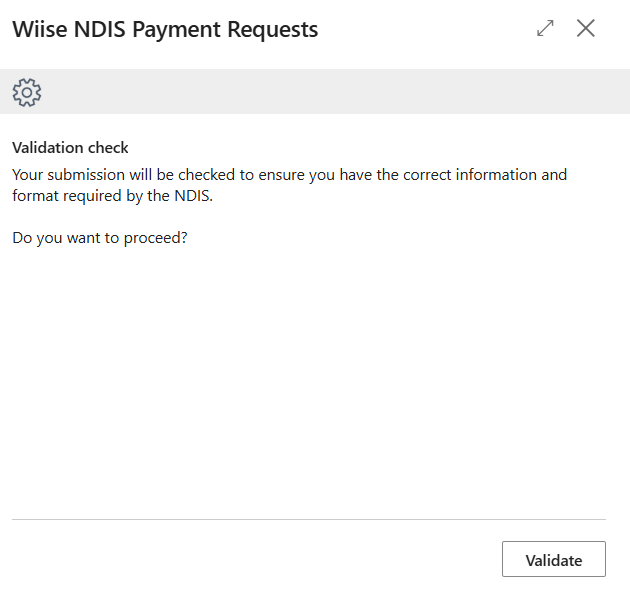
- The Validation check page displays.
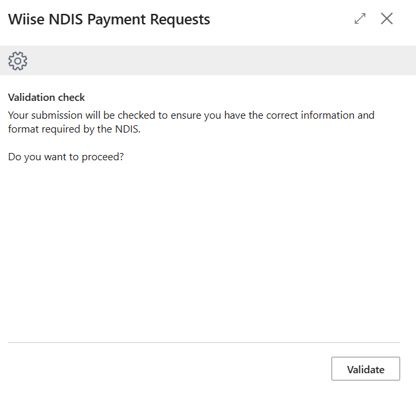
- Select Validate to continue.
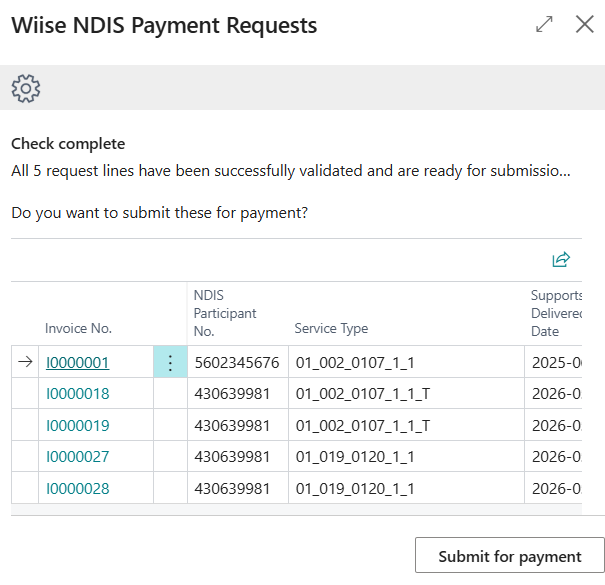
- Once validated successfully, the Check complete page displays.
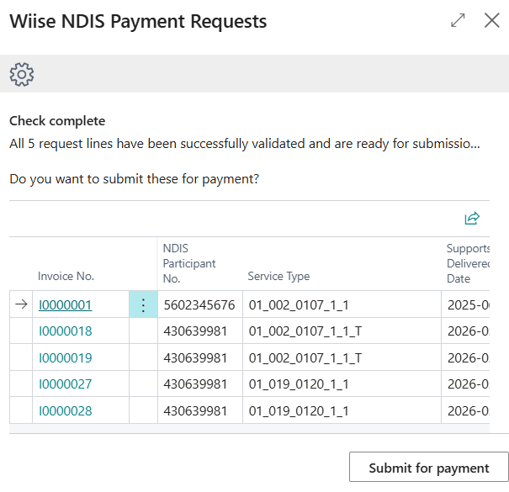
- It is ready for submission. Select Submit for payment.
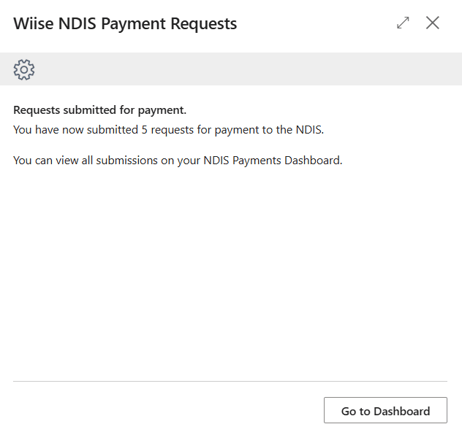
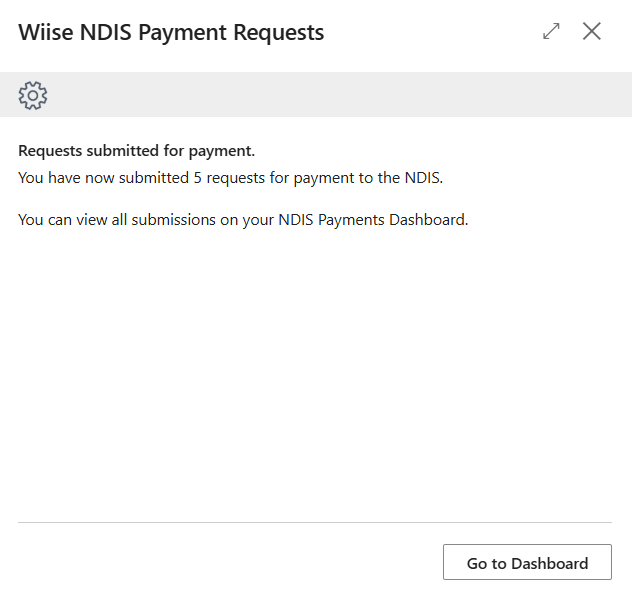
- Wiise submits the resubmission to the NDIA and confirms the number of requests submitted. You can view all submissions on your NDIS Payments Dashboard.
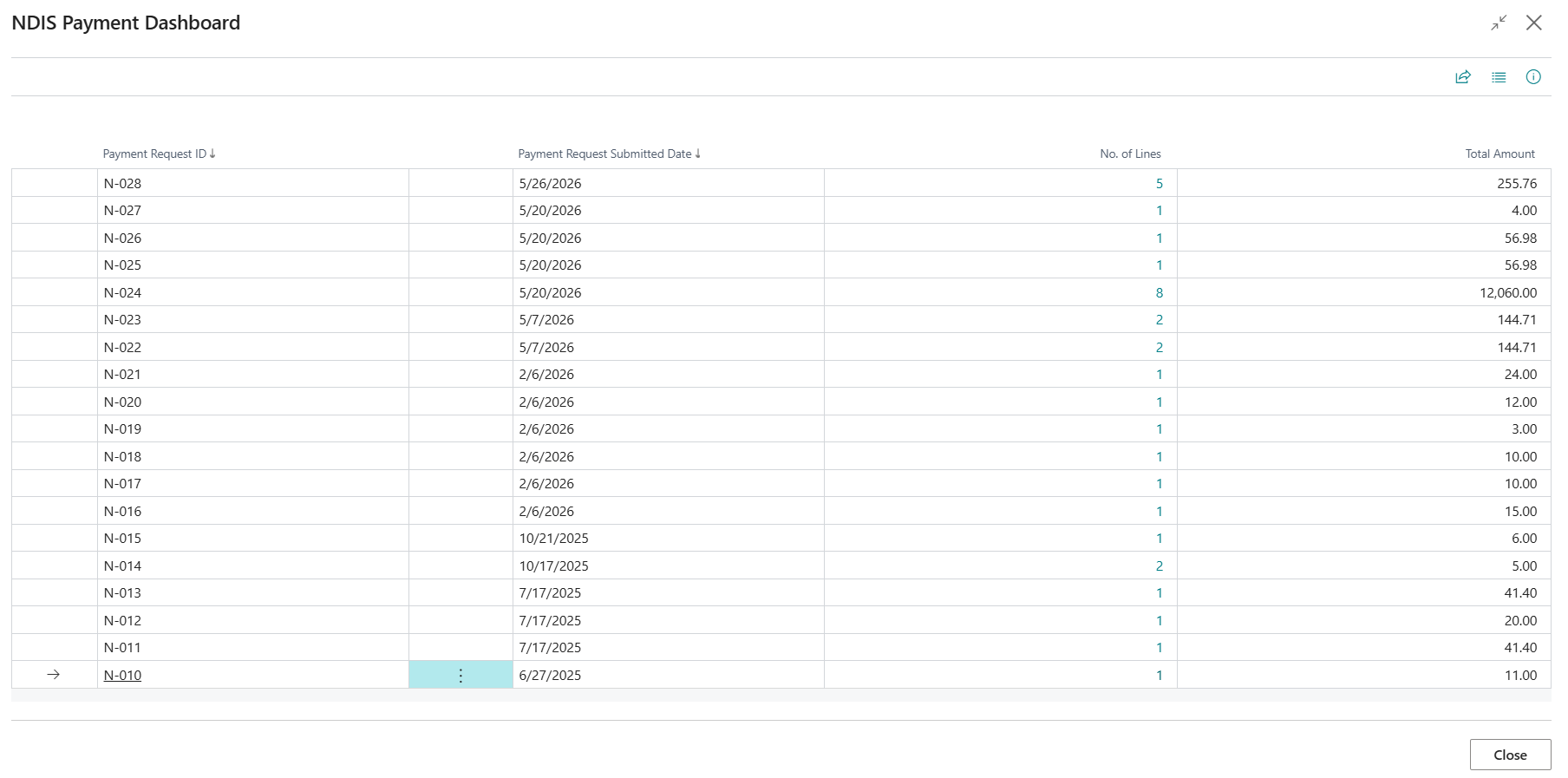
- Select Go to Dashboard to view the submitted payment requests.
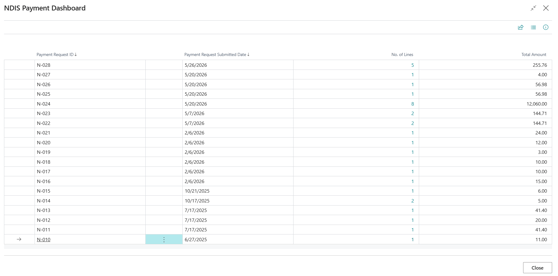
- NDIS Payment Dashboard shows all submitted payment requests sorted by most recent, with Payment Request ID, submitted date, number of lines, and total amount
- You now know how to resubmit a rejected NDIS payment request in Wiise.
What to do if a resubmission fails?
Note: If the NDIA returns an error, Wiise displays a clear error message identifying which lines failed and why. Review the error, correct the relevant fields, and resubmit the failed lines only. Successfully submitted lines in the same batch are not affected. If resubmission continues to fail, escalate to your system administrator for manual intervention.
What's next?
Find out how to cancel NDIS payment requests..
Need more help? No problem, that's what we're here for. Reach out to support@wiise.com anytime you can't find what you're looking for.